They say a poor workman blames his tools, but there has to be an exception to every rule, even that one. Case in point: Lemmy and Clarice, a husband-and-wife landscaping business based out of Lymington. They’ve been customers of mine for some years now, almost always because of Lemmy’s laptop, a cheap little Acer that seems to have been cursed by the fairies.
 I’ve reinstalled it from scratch twice so far, as well as coming in on short notice twice more to reconnect it to the internet connection and printer that Lemmy swears were completely unchanged and untouched since yesterday when everything worked fine. I believe him; some computers are just bad to the bone. My first laptop, I had to send back for repairs four times before I lost patience and told the manufacturer’s rep that I would be expecting a replacement. She protested at first, so I told her to check the repair log, and after a long period on hold during which she probably paged through a Tolstoy novel worth of maintenance history, she came back on the line and told me I was quite right, and my new warranty replacement laptop would be delivered in a few days. Victory! Sadly, Lemmy’s Acer was not under the same sort of warranty, so he had to make do.
Most recently, Clarice called me to say that Lemmy had switched the damnable machine off when it was just sitting there spinning its little circle of dots and doing nothing useful, and now it wouldn’t switch on again. That is, to be brutally fair, not entirely the laptop’s fault: those spinning dots are usually accompanied with a stern warning “do not switch off your device” and they mean it. Updates, when they happen, tend to take a lot of careful coordination, and you have no way of knowing if the moment you forcible switch it off is the moment in which it really needed you to be patient. Anyhow, water under the bridge. Worst case scenario, I’d take his computer home, recover all his files and reinstall Windows again, and he’d be fine.
That was the theory, right up until I plugged it in and saw how it responded to me pressing the power switch. Nothing! The damned beast had decided that this latest indignity was the last, and it was refusing to switch on, no matter what I did. OK, I said to myself, it’s probably no loss; just open it up, take out the disk drive, and copy off the files. I can point Clarice at a good supplier of up-to-date lappies and they’ll be back in business in a day or two, all files safely copied over.
When customers come to me with a dead computer, they usually have an air of “I know there’s no hope, but…” and I can almost always give them a pleasant surprise. Computers can fail in many ways — even owners of thoroughbred horses are sometimes surprised at how many ways a computer can get sick — but very few of them involve the loss of data. A disk drive inside a computer is a solid unit, sealed tight, and there’s not much that can get in to mess it up. What I usually do is, I undo the back cover or the case of the computer, take out the disk drive, and put it into an enclosure. The enclosure then connects to my computer, and I can read off the contents of the disk drive as if it were one of those memory stick thumb drive USB gadgets that nobody can agree on the official name of.
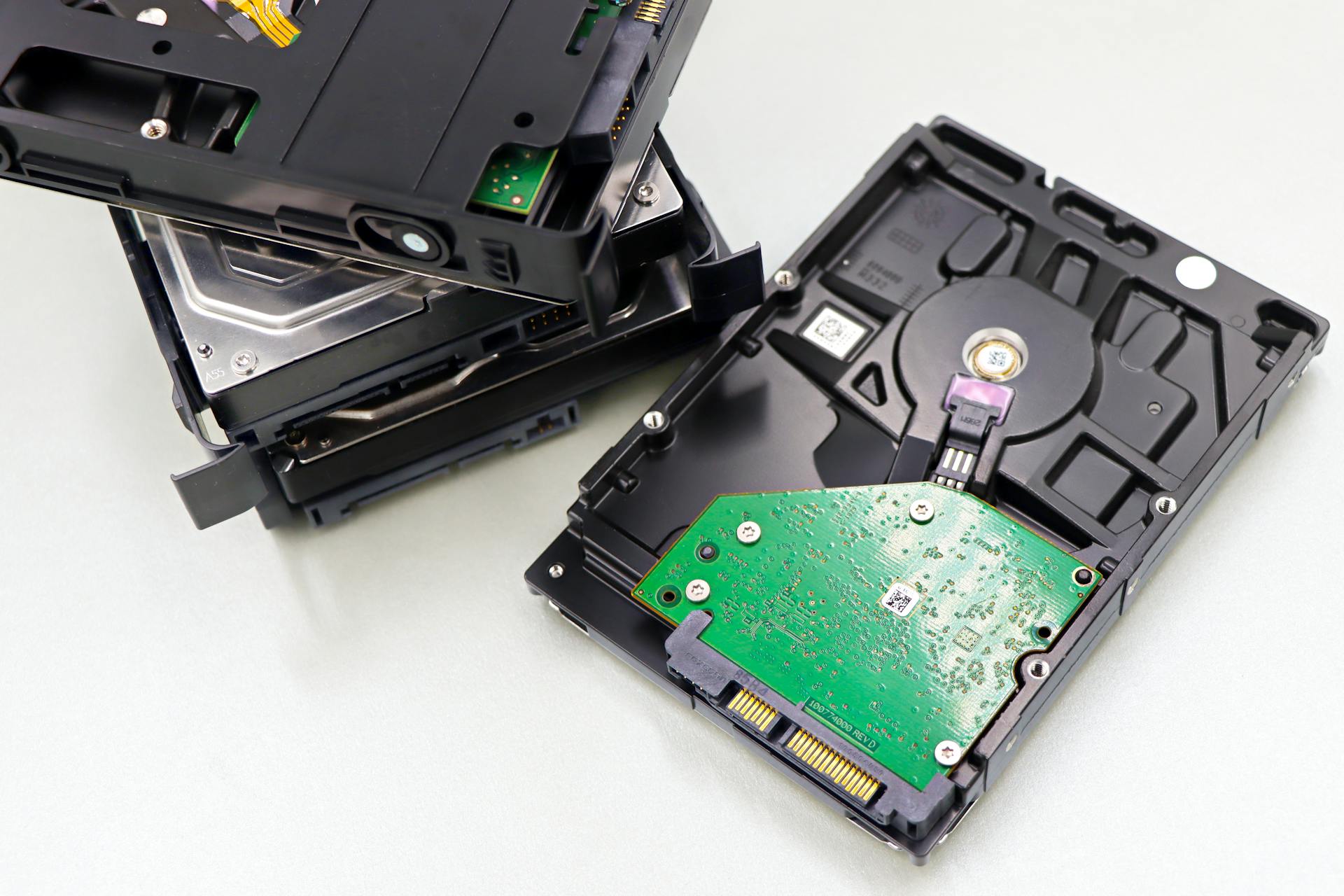 This I did with Lemmy’s laptop’s disk drive, and when I plugged it in to my PC it said… nothing. No data. It’s all gone.
Oh dear. That’s not good. There’s a lot of important data there, and I don’t know how well Lemmy would have done at regular backups. It’s weird that there’s nothing left, but honestly it’s not the first time. I remember a couple of months ago I saw the same problem with another customer, and his lost files included his only copy of some important wedding photos. I’d had to disappoint him, and now I would have to disappoint Lemmy and Clarice too. I hate that.
Except… that’s a bit odd, isn’t it? Two mysteriously dead disk drives in a couple of months? When usually it’s rare for it to happen even once in a couple of years? Something doesn’t smell right there…
I took a look at the enclosure. It was a pretty standard gadget, not particularly flash, and I’d only had it for a couple of months. Could I remember a time when it definitely worked? I wasn’t sure.
I had a look in my cupboard of random computer junk. Everyone has one of those, right? Several metres high and wide, full of tonnes of discarded computer bits and bobs? No? Just me? Right then… at the bottom of one of the bins, I found what I was looking for: the other disk drive enclosure, the one I’d bought at the same time as this one, just on the off chance that I might need one. I plugged it in. I put Lemmy’s laptop’s disk drive into it. I switched it on…
Success! All files present and accounted for! It wasn’t his disk drive, it was my tools that had failed!
I called Clarice and let her know, but then I realised: if this drive was OK, maybe that other customer’s drive had been as well! Fortunately I knew he was a local, and I remembered approximately what street he was on. I went for a drive, and found him quite easily. It helps to have a distinctive looking house! I nervously asked him if he still had the disk drive that I’d said was dead, and he told me he did. I explained the situation, and he came over all smiles. When you couldn’t read the disk drive, he told me, you told me to go and see that company in Hobart, and they recovered all the data with no trouble. So it’s all safe, wedding photos and the rest! Not a problem!
That was a relief. I went back home, took the disk drive enclosure, and buried it in the back yard with a stake through its circuit board. No second chances for broken tools. I’d have to be a complete IT muppet to risk disappointing any more customers because my tools weren’t working, and I’m not the IT muppet: I’m the IT blacksmith.